Built for real
production decisions
Every tool in the Decay lineup is designed around one idea: faster decisions, better results, without adding noise to your workflow. Here’s what they actually do.
Core capabilities across the lineup
System-Wide A/B Comparison
Toggle multiple devices and chains across your entire Live set instantly — not one plugin at a time. Hear your mix decisions in real context.
Stereo Field Control
Expand, focus, and shape your stereo image with precision — from mono sources or existing stereo material. Width without the phase mess.
Advanced Macro Routing
Go beyond Ableton’s native macros — map, stack, curve, and chain parameters across devices with precision control in a single interface.
Non-Destructive Workflow
All tools operate on enable states and mute logic — nothing baked in, nothing irreversible. Your session stays flexible at every stage.
Clean Session Overview
Structured, hierarchical views of your tracks, returns, and master — so you always know what’s being affected and what isn’t.
Built for Real Sessions
Tested in actual production workflows — not demo patches. Fast load, low CPU overhead, and designed to stay out of your way.
Delta /
A-B Matrix
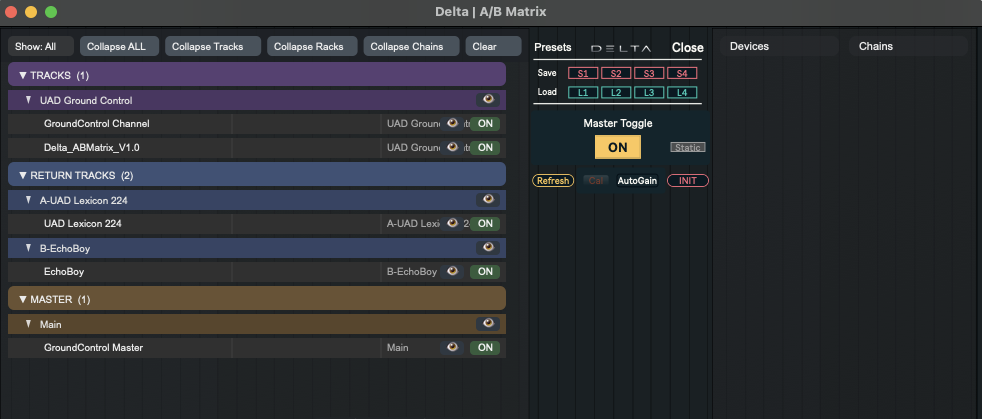
A global A/B comparison tool that lets you toggle multiple devices and chains across your entire session with a single control. Accurate, in-context, session-wide.
Session-wide scope
Scans all tracks, return tracks, and the master. Select any device or chain to include in the comparison — full control over what’s being evaluated.
Single-toggle switching
One control flips everything between processed and unprocessed states simultaneously. No clicking through racks, no manual bypassing.
Master placement accuracy
Placed at the end of the master chain, Delta captures the full signal path — avoiding the misleading level and routing differences of traditional A/B methods.
Matrix-style interface
Hierarchical navigation, selection filtering, and per-device control in a structured overview. Toggle globally or dial in individual elements.
Predictable mute logic
Devices are controlled via enable state; chains via precise mute logic — consistent and predictable switching every time, no surprises.
MixField
Control multiple tracks from a single XY field. Shape volume and panning visually, store preset balances, and A/B different mix states — without touching a single fader.

XY field for multi-track control
Every assigned track becomes a node in a shared visual field. Move it to simultaneously set level (Y axis) and stereo position (X axis) — no per-fader tweaking.
Volume and pan in one gesture
Spatial relationships and level distribution are defined by position, not by chasing individual knobs. Faster to build a rough balance, easier to feel the mix as a whole.
Built-in preset slots
Store and recall multiple volume/pan configurations instantly. A/B different mix directions or spatial arrangements without losing your starting point.
Includes return track support
Assign return tracks alongside regular tracks for a complete spatial overview — not just the main mix, but the whole routing picture.
Designed to complement, not replace
MixField gets you to a coherent balance quickly. Refine the details with your usual tools — it fits naturally into an existing mixing workflow.
MØS — Width Engine
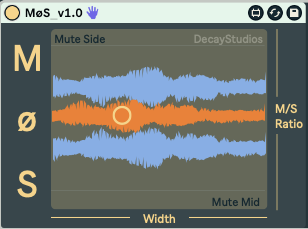
Phase-based mono-to-stereo width that stays stable in mono. Adds controlled space to any mono source — vocals, synths, percussion — without smearing the sound or causing issues on mono playback systems.
Phase-derived stereo field
Width is generated from the original signal using phase inversion and controlled delay — not modulation or timing tricks that smear transients or muddy the image.
Mono-compatible by design
The mid signal stays intact and stable. Added width collapses cleanly in mono — no phase cancellation, no weak playback on phones or club PA systems.
Tight, controlled enhancement
MØS isn’t an exaggerated widener. It adds subtle space — the kind that makes a sound feel placed in the stereo field without drawing attention to itself.
Works on any mono source
Vocals, synth leads, percussion, mono samples — anything that needs to sit naturally in a stereo mix without introducing artificial chorus or unstable imaging.
SuperMacro v2.5
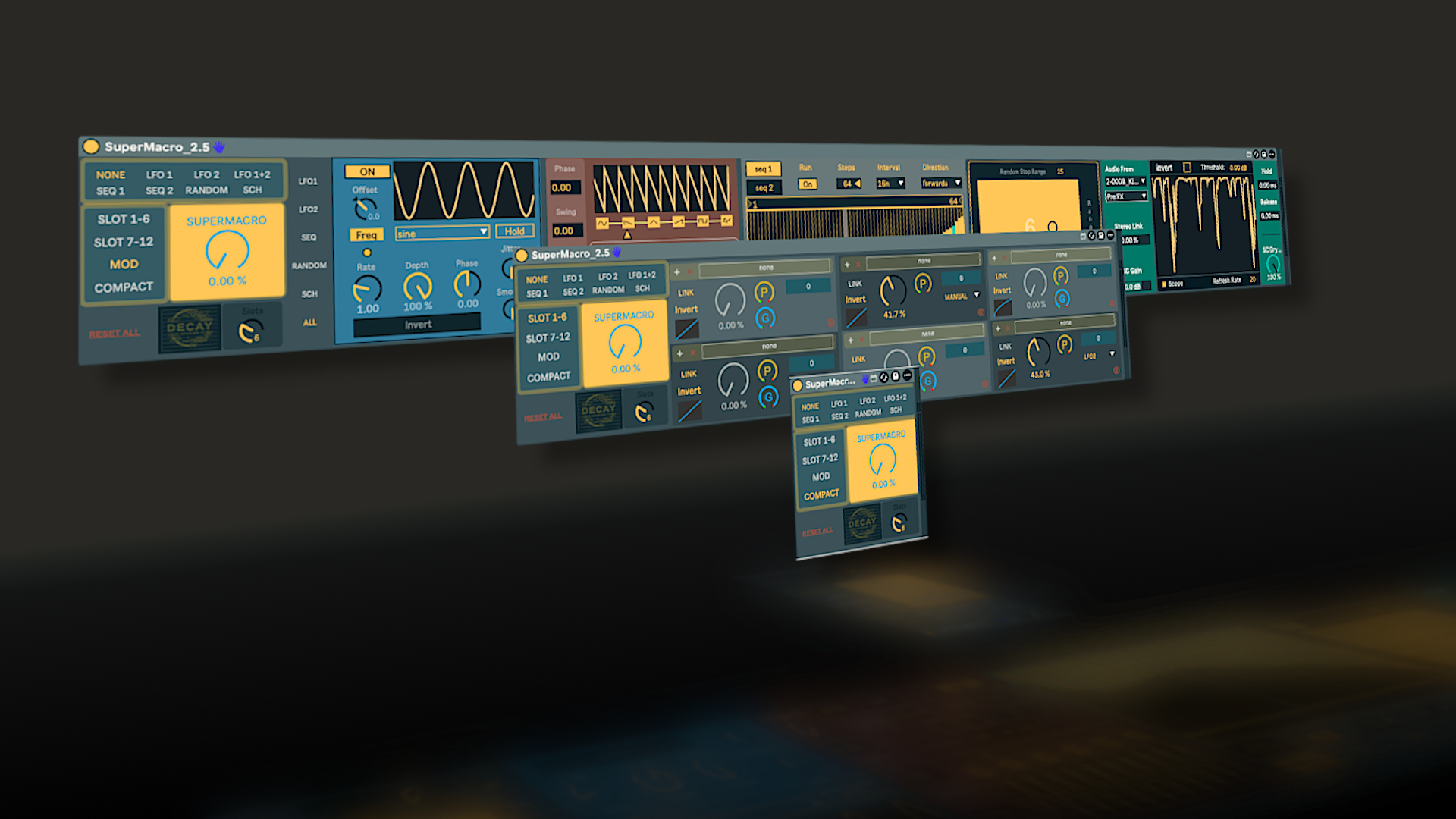
A parameter control system that goes beyond native Ableton macros. Assign up to 12 parameters from anywhere in your Live set, define custom ranges and activation zones, then drive them all — or individually — from a single dial.
12-parameter multi-mapping
Assign up to 12 parameters from any track, return, or device in your Live set — not just within a single rack. One device, full session reach.
Custom ranges and activation zones
Each parameter has its own min/max range and a definable activation zone on the macro dial — so parameters move only when and how far you intend them to.
Adjustable response curves
Shape how each parameter reacts to macro movement — from smooth and gradual to sharp and immediate. Different responses per slot, all from the same dial.
Built-in modulation tools
Two LFOs, two step sequencers, sidechain input, and a randomizer — add continuous movement, rhythmic variation, or audio-driven control without extra devices.
Global dial or per-parameter control
Link parameters to the global macro for unified control, or break them out for individual adjustment and modulation. Both modes work simultaneously.
Every tool. One focused lineup.
Browse all Decay plugins and find what fits your workflow.
Browse All Plugins